

Migrating Off Evernote After the Bending Spoons Price Hike
I got the email. Most of us who still used Evernote did.
Bending Spoons, the Italian company that bought Evernote in late 2022 / early 2023, was discontinuing the old Personal and Professional plans. In their place: two new tiers.
- Starter: $99/year (or $14.99/month) — capped at 1,000 notes, 20 notebooks, limited storage and devices.
- Advanced: $249.99/year (or $24.99/month) — the only realistic option if you had years of accumulated notes, tags, and attachments.
For many long-time users, that Advanced tier was the only one that would actually work. And $250 a year for a note-taking app was, for me, a non-starter.
I have been engineering Unix systems and Oracle databases for more than three decades. I have seen vendors raise prices, change licensing, lock in customers, and then act surprised when people leave. This was just another chapter in a very familiar story. The difference this time was that the data was mine, and I was not going to pay ransom for access to it.
So I left.
The Real Problem Isn’t the Price Alone
Price hikes after an acquisition are common. What makes them especially painful with note-taking tools is the data gravity. Years of notes, product manuals, medical records, household information, project notes, tagged and organized over time, do not move easily. Evernote’s export format (ENEX) is usable, but incomplete for a modern destination. Google Keep, my chosen landing place for simplicity and low cost, has no official bulk import path that preserves structure in any meaningful way.
Most “migration guides” stop at “export from Evernote and manually create notes in Keep.” That is fine if you have 40 notes. It is not fine if you have thousands.
I needed something better: a reliable, resumable, memory-efficient importer that could parse large ENEX files, convert Evernote’s ENML content into clean plain text, map tags to Keep labels, extract attachments to local disk, and handle the realities of Google’s current authentication requirements for Keep.
I built one. The code is public.
Repository: https://github.com/jasontromm/Keep-Import
Design Goals
I approached this the same way I approach production systems:
- Memory efficiency first. ENEX files can be large. Loading the entire XML tree into memory is a non-starter. Use streaming parse (xml.etree.ElementTree.iterparse).
- Resumability. Imports of thousands of notes will be interrupted. Track what has already succeeded and skip it on re-run.
- Safe authentication. gkeepapi no longer accepts passwords. You need a master token obtained through a controlled process. Document it carefully and never commit the token.
- Graceful degradation. Keep has limits (note length, labels, etc.). Split long notes. Extract attachments even if we cannot upload images through the current gkeepapi.
- Clear progress and recovery. Batch syncs, progress cache, dry-run mode, and the ability to stop with Ctrl+C and pick up later.
High-Level Flow
- Authenticate to Google Keep using a master token (one-time setup).
- Stream-parse the ENEX file note by note.
- For each note:
• Generate a fingerprint (title + created date) for deduplication/resume.
• Convert ENML content to readable plain text.
• Extract and save any resources (attachments) to a local directory.
• Create the Keep note (or split it if it exceeds the length limit).
• Map Evernote tags to Keep labels (creating labels as needed).
- Batch the changes and sync periodically.
- Write progress to a cache file so the next run can skip completed work.
Key Implementation Pieces
Streaming the ENEX
Instead of loading the whole file:
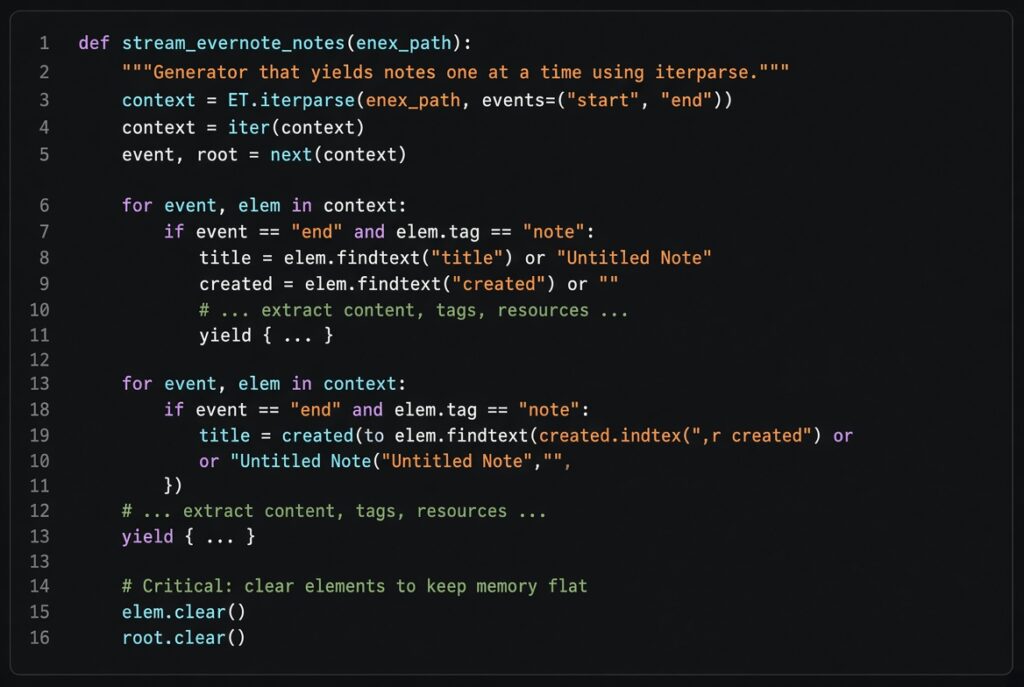
This approach keeps the memory footprint reasonable even on large exports.
ENML → Plain Text
Evernote stores rich content as ENML (a restricted HTML dialect). I convert it to clean, readable plain text while preserving basic structure (headings, lists, blockquotes, etc.):
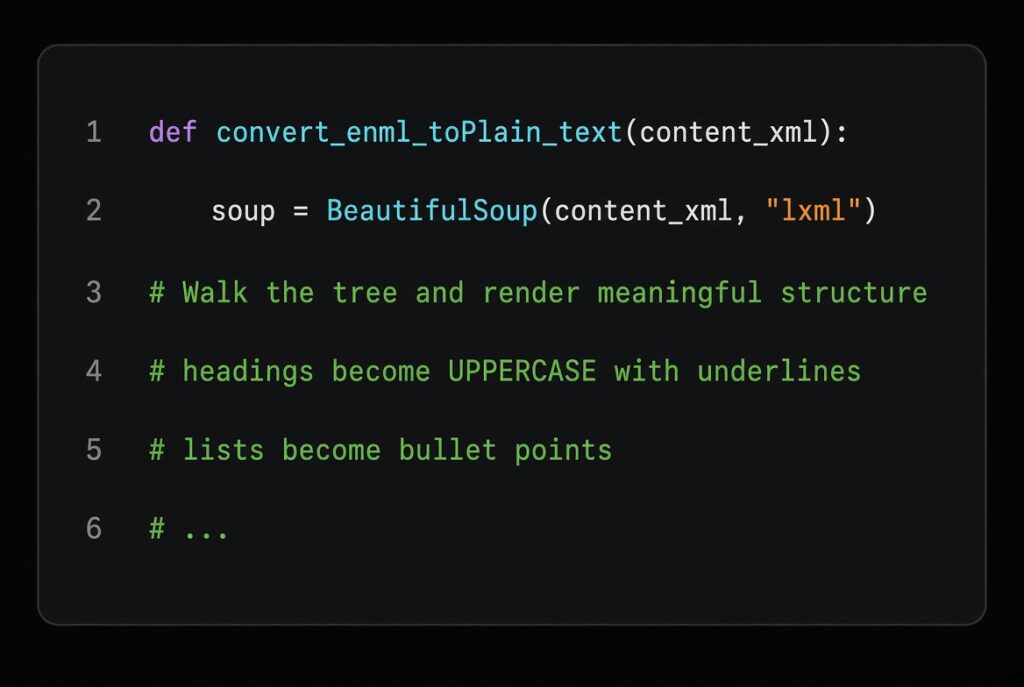
The result is not perfect WYSIWYG, but it is highly readable and searchable in Keep.
Note Splitting
Google Keep has practical length limits. Long notes are split at newline boundaries when possible:
![def split_note_text(text, chunk_limit=18000):
if len(text) <= chunk_limit:
return [text]
# Prefer splitting on newlines to preserve readability](https://trommetter.net/wp-content/uploads/2026/08/x7kTu-1024x687.jpg "When the Vendor Turns on You")
Each chunk becomes its own Keep note with a clear “(part N)” indicator in the title.
Authentication Reality
gkeepapi requires a master token. The script includes a small interactive wizard (–setup-token) that walks you through obtaining an oauth_token cookie from a private browser session and exchanging it for a master token via gpsoauth. The token is stored with restricted permissions and is git-ignored.
Treat that token like a password. It has broad access.
What Works and What Doesn’t
Works well:
- Large numbers of notes
- Tags → Labels mapping
- Resume after interruption
- Attachment extraction to local disk (with paths listed inside the Keep note)
- Dry-run mode for testing
- Reasonable performance with batching
Limitations:
- Image upload into Keep notes is not reliably supported by the current gkeepapi. Attachments are saved locally and referenced in the note text. If image embedding is critical for you, you will need a different target or additional tooling.
- Very complex nested formatting is flattened. This is intentional — Keep is not a full rich-text system in the same way Evernote was.
- Google’s authentication surface can change. The master-token approach is the current working path; it may need updates in the future.
Results and Lessons
The migration worked. I no longer pay Evernote. My notes are in Google Keep (with attachments on disk as a safety net). The process was not zero-effort, but it was controllable and repeatable.
A few broader observations from a long-time systems person:
- Own the escape hatch before you need it. If a service holds years of your data, you should already know how to get it out cleanly and what the realistic import options look like.
- “Happy path” tools fail when the data is real. Most migration advice assumes small, clean datasets and perfect APIs. Production reality is large files, interrupted runs, authentication friction, and incomplete feature support. Design for that.
- Price is a signal. When a company that acquired a mature product aggressively raises prices while constraining lower tiers, they are optimizing for a smaller set of higher-paying customers. That is a legitimate business strategy. It is also a legitimate reason for customers to leave.
- Simple destinations have value. Google Keep is not the most powerful note system. For many use cases it is good enough, cheap, and low-friction. Sometimes “good enough + ownership” beats “feature-rich + hostage.”
How to Use the Tool
The repository contains:
- import_evernote_to_keep.py — the main importer
- import_instructions.md — detailed setup and usage
- requirements.txt — pinned dependencies (gkeepapi, beautifulsoup4, lxml, gpsoauth, etc.)
- A resume/cache mechanism and a small test helper
Typical workflow:
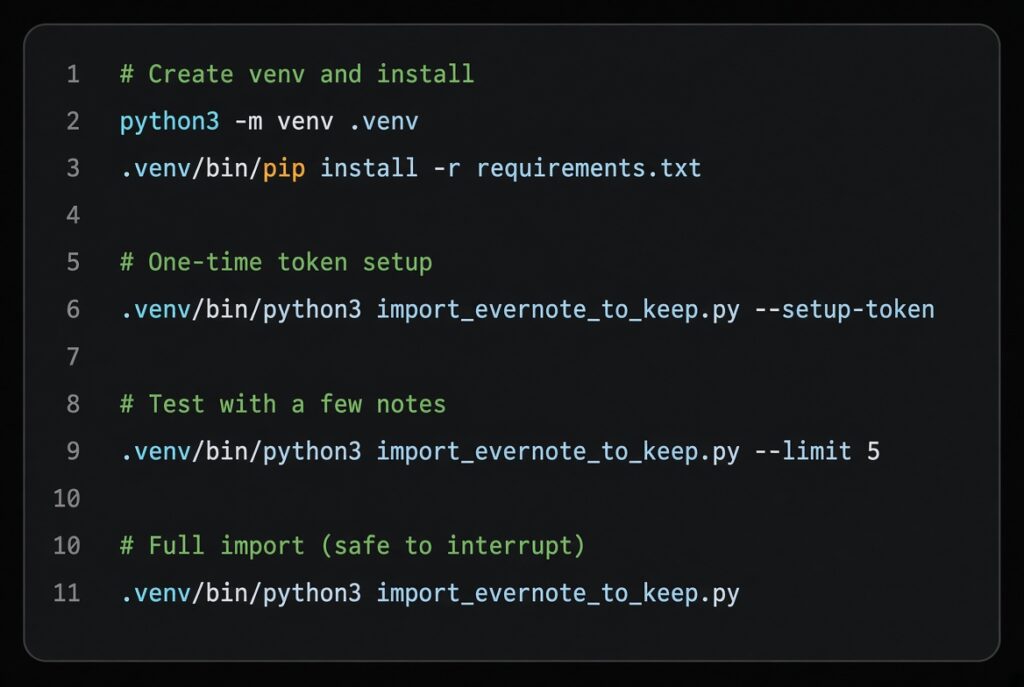
See the instructions file in the repo for the full set of options (–dry-run, –batch-size, custom paths, etc.).
Closing
I did not leave Evernote because I suddenly disliked the product. I left because the economics and the control model no longer made sense for me. Building a small, focused tool to move the data was the rational engineering response.
If you are in the same position — staring at a large price increase and an export file — the code is there. Fork it, improve it, adapt it to your destination of choice. The important part is that the data remains yours.
Vendors will continue to change the terms. The only sustainable strategy is to keep the exit door unlocked.